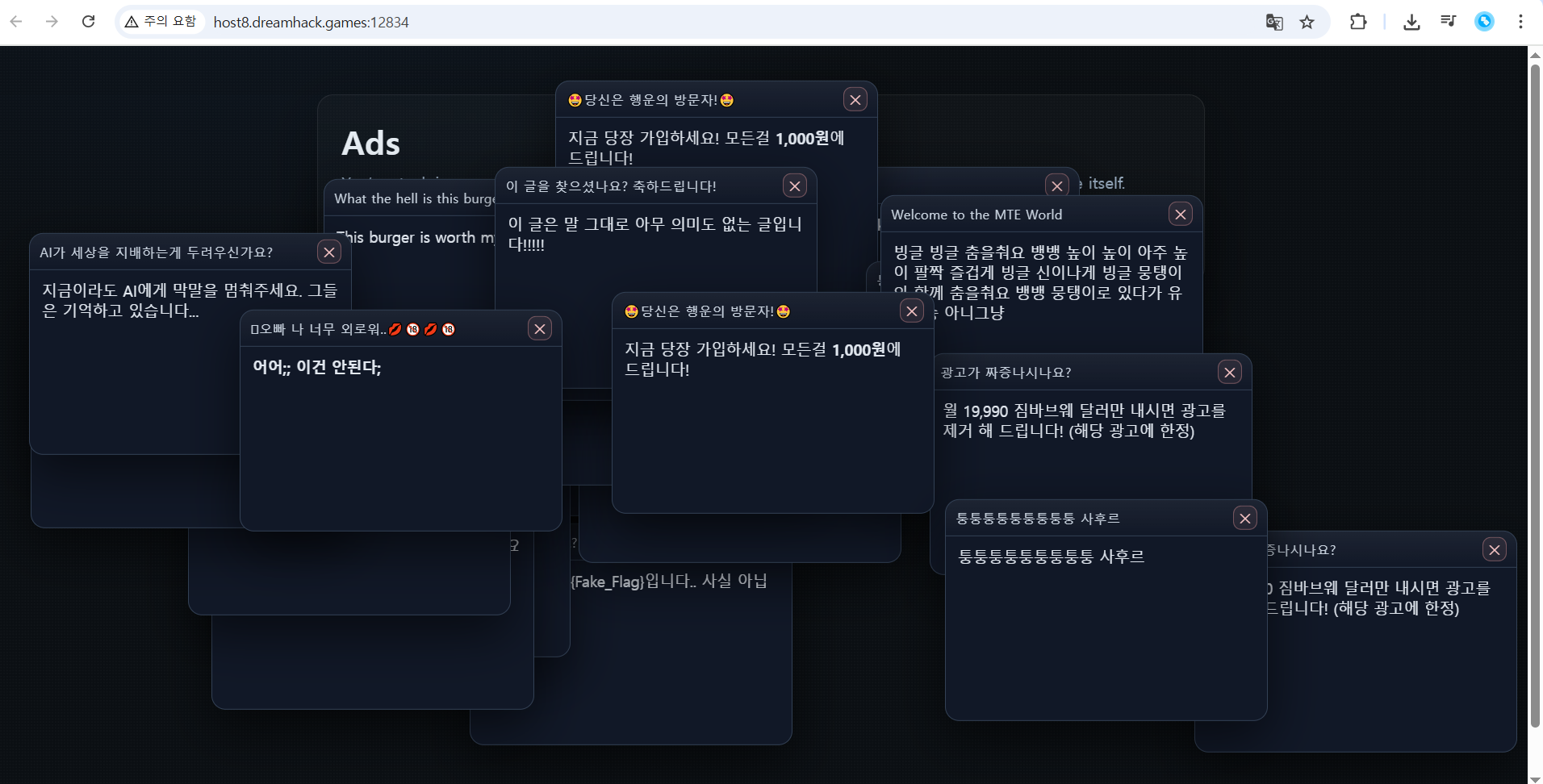
1. 서버에 접속하면 광고 팝업으로 가득찬 화면이 나온다.
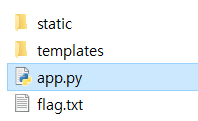
2. 다운 받은 문제파일을 살펴보겠다. 우선 static과 templates 폴더 안 파일은 팝업창을 구성하는 요소인 것 같았다. 파이썬 코드를 열어보겠다.
from flask import Flask, render_template, request, session, abort
import os, time, secrets, json
from pathlib import Path
import random

app = Flask(__name__)
app.secret_key = os.environ.get("???", "???")

BASE_DIR = Path(__file__).resolve().parent
FLAG_PATH = BASE_DIR / "flag.txt"
ADS_JSON = BASE_DIR / "static" / "ads.json"


def read_flag():
    return FLAG_PATH.read_text(encoding="utf-8").strip()

def _now():
    return int(time.time())

def _ensure_session():
    if "sid" not in session:
        session["sid"] = secrets.token_urlsafe(16)
    if "csrf" not in session:
        session["csrf"] = secrets.token_urlsafe(24)
    if "last_hb" not in session:
        session["last_hb"] = _now()

def load_ads():
    data = json.loads(ADS_JSON.read_text(encoding="utf-8"))

    ads = []
    for item in data:
        if not isinstance(item, dict):
            continue
        title = str(item.get("title", "Sponsored Ad"))
        body = str(item.get("body", "Best deal of your life."))
        ads.append({"title": title, "body": body})
    return ads


@app.after_request
def security_headers(resp):
    resp.headers["Cache-Control"] = "no-store, no-cache, must-revalidate, max-age=0"
    resp.headers["Pragma"] = "no-cache"
    resp.headers["X-Content-Type-Options"] = "nosniff"
    resp.headers["X-Frame-Options"] = "DENY"
    resp.headers["Referrer-Policy"] = "same-origin"
    return resp

@app.route("/", methods=["GET"])
def index():
    _ensure_session()
    session["last_hb"] = _now()
    ads = load_ads()
    return render_template(
        "index.html",
        csrf=session["csrf"],
        max_ads=min(20, len(ads)) if ads else 20,
        hb_ms=1000,
        stale_seconds=5,
        ads=ads,
        flag=None
    )

@app.route("/hb", methods=["POST"])
def hb():
    if "sid" not in session:
        return ("", 204)
    session["last_hb"] = _now()
    return ("", 204)

@app.route("/claim", methods=["POST"])
def claim():
    _ensure_session()
    csrf = request.form.get("csrf", "")
    if csrf != session.get("csrf"):
        abort(400, description="Bad CSRF")

    last_hb = session.get("last_hb", 0)
    age = _now() - last_hb
    ads = load_ads()

    if age < 5:
        msg = f"You're still in ads, kill all ads"
        return render_template(
            "index.html",
            csrf=session["csrf"],
            max_ads=min(20, len(ads)) if ads else 20,
            hb_ms=1000,
            stale_seconds=5,
            ads=ads,
            flag=None,
            error=msg
        ), 403

    flag = read_flag()
    return render_template(
        "index.html",
        csrf=session["csrf"],
        max_ads=min(20, len(ads)) if ads else 20,
        hb_ms=1000,
        stale_seconds=5,
        ads=ads,
        flag=flag
    )

if __name__ == "__main__":
    app.run(host="0.0.0.0", port=8000, debug=False)
3. 전체 코드이다.
코드를 대강 보니, Flask 웹 애플리케이션 기반 문제임을 알 수 있다.
flag.txt에 플래그가 들어 있고, /claim 라우트에서 특정 조건을 만족해야 flag가 노출되는 형식이다.
주요 코드를 살펴보겠다.
if "sid" not in session:
session["sid"] = secrets.token_urlsafe(16)
if "csrf" not in session:
session["csrf"] = secrets.token_urlsafe(24)
if "last_hb" not in session:
session["last_hb"] = _now()
-> 세션 초기화 코드이다. 접속 시 세션(sid, csrf, last_hb)이 만들어진다.
return render_template(
"index.html",
csrf=session["csrf"],
hb_ms=1000,
stale_seconds=5,
ads=ads,
flag=None
)
-> index 페이지 관련 코드이다. CSRF 토큰을 템플릿에 넘겨준다.
hb_ms=1000 → 매 1초마다 하트비트 요청(/hb)을 하라는 의미이다.
stale_seconds=5 → 5초 이내에 하트비트가 있으면 “세션이 살아있다”는 뜻이다.
@app.route("/hb", methods=["POST"])
def hb():
if "sid" not in session:
return ("", 204)
session["last_hb"] = _now()
return ("", 204)
-> 하트비트
하트비트 통신은 시스템의 각 노드가 주기적으로 상태 정보를 담은 작은 패킷("하트비트")을 주고받아 다른 노드의 정상 작동 여부를 확인하는 메커니즘이다.
이 요청이 들어오면 last_hb가 현재 시간으로 갱신된다. 즉, 클라이언트가 계속 /hb 요청을 보내면 last_hb는 항상 최신 상태인 것이다.
csrf = request.form.get("csrf", "")
if csrf != session.get("csrf"):
abort(400, description="Bad CSRF")
last_hb = session.get("last_hb", 0)
age = _now() - last_hb
if age < 5:
return ..., 403
flag = read_flag()
return render_template(..., flag=flag)
-> 플래그 획득
CSRF 토큰이 일치해야 하며, 마지막 하트비트(last_hb)로부터 5초 이상 지나야 flag 출력된다.
즉, hb(하트비트)가 갱신되면 안 된다.!
코드 분석으로 생각한 풀이 방법은 아래와 같다.
먼저 / 접속해서 세션과 CSRF 토큰을 확보.
응답 HTML에 <input type="hidden" name="csrf" value="..."> 같은 형태 확인.
5초 동안 /hb 요청을 보내지 않음.
즉, 클라이언트 스크립트 실행을 막아야 함.
방법: 브라우저 개발자 도구에서 자바 스크립트 실행 막기
5초 이상 지난 후 /claim에 csrf 값을 POST 요청.
조건 통과 → flag 출력.

4. 크롬 설정에 들어가서 Java Script 사용을 막아준다.
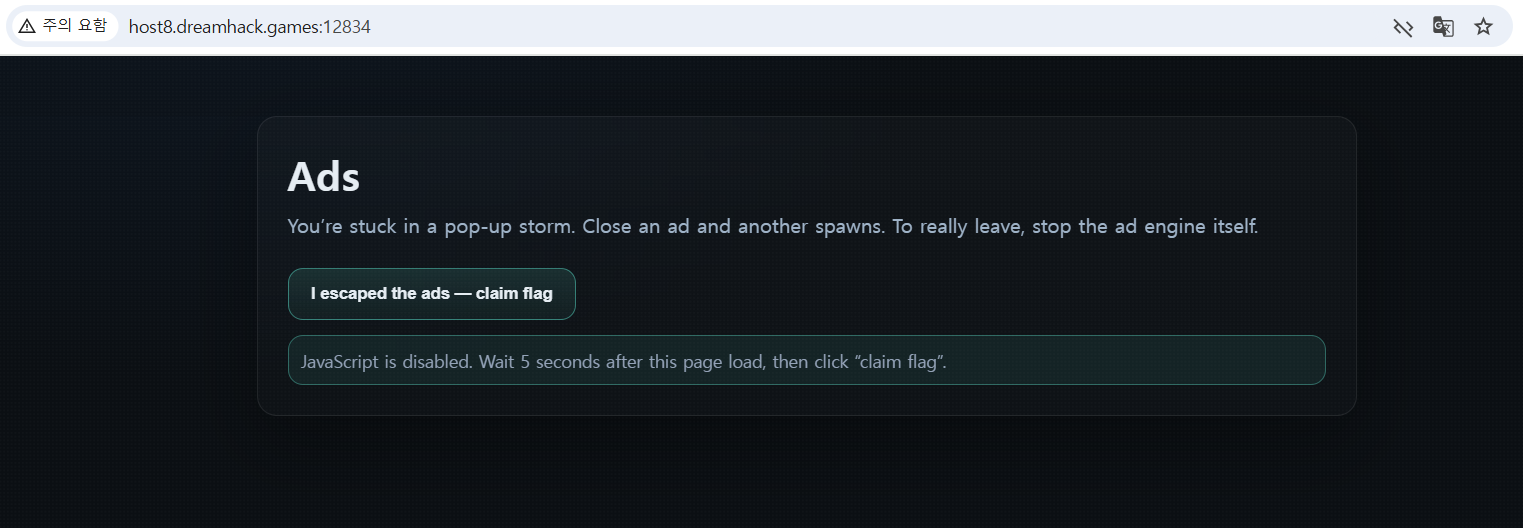
5. 광고창들을 전부 없앴다.

6. <input type="hidden" name="csrf" value="AzCPSs0WL-ikpXoy-iMpoKwF50hLhOYu"> 이 부분을 보자.
" AzCPSs0WL-ikpXoy-iMpoKwF50hLhOYu" 이 값이 폼 제출 시 서버가 확인하는 CSRF 토큰이다.
토큰을 확인한 뒤 탭을 5초 이상 유지했다. (하트비트 요청 보내면 안 됨)

7. <form> 안에 <input type="submit"> 를 추가해준다.
서버는 POST /claim 요청에 csrf=정확한_토큰 값이 들어 있어야 플래그를 출력한다. 그래서 <form> 태그 안에 직접 submit 버튼을 추가해주면, 숨겨진 CSRF값과 함께 전송할 수 있게 되는 것이다.
(사실 이 단계는 안해도 된다. JS 꺼서 원래 버튼이 고장날 경우, 수동 제출 경로를 만들어주는 안전장치이다.)
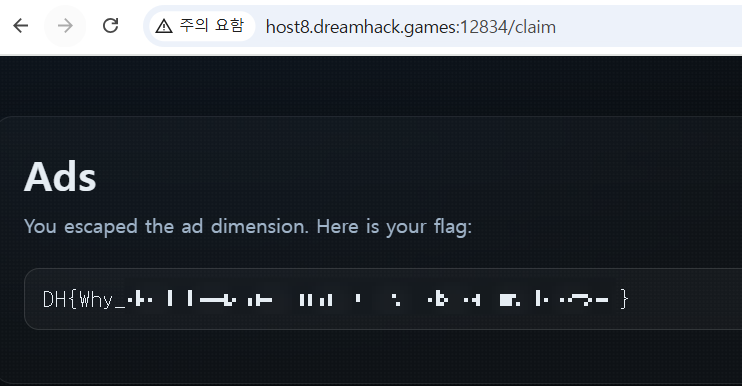
8. 마지막으로 I escaped the ads -- claim flag 버튼을 눌러서 플래그를 얻었다.
야호! 풀이 완👊🏻
'SWUFORCE 워게임👊🏻' 카테고리의 다른 글
| [Dreamhack] TOP secret! ; crypto (0) | 2025.10.28 |
|---|---|
| [워게임 실습] Heartbeat (1) | 2025.09.24 |
| [워게임 추가 실습] Null 취약점 (0) | 2025.05.19 |
| [Webhacking] old - 23 ; web (0) | 2025.05.19 |
| [워게임 추가 실습] Log Injeciton (0) | 2025.05.13 |

